
Windows · DayZ modding toolkit
DayZ Dev Software
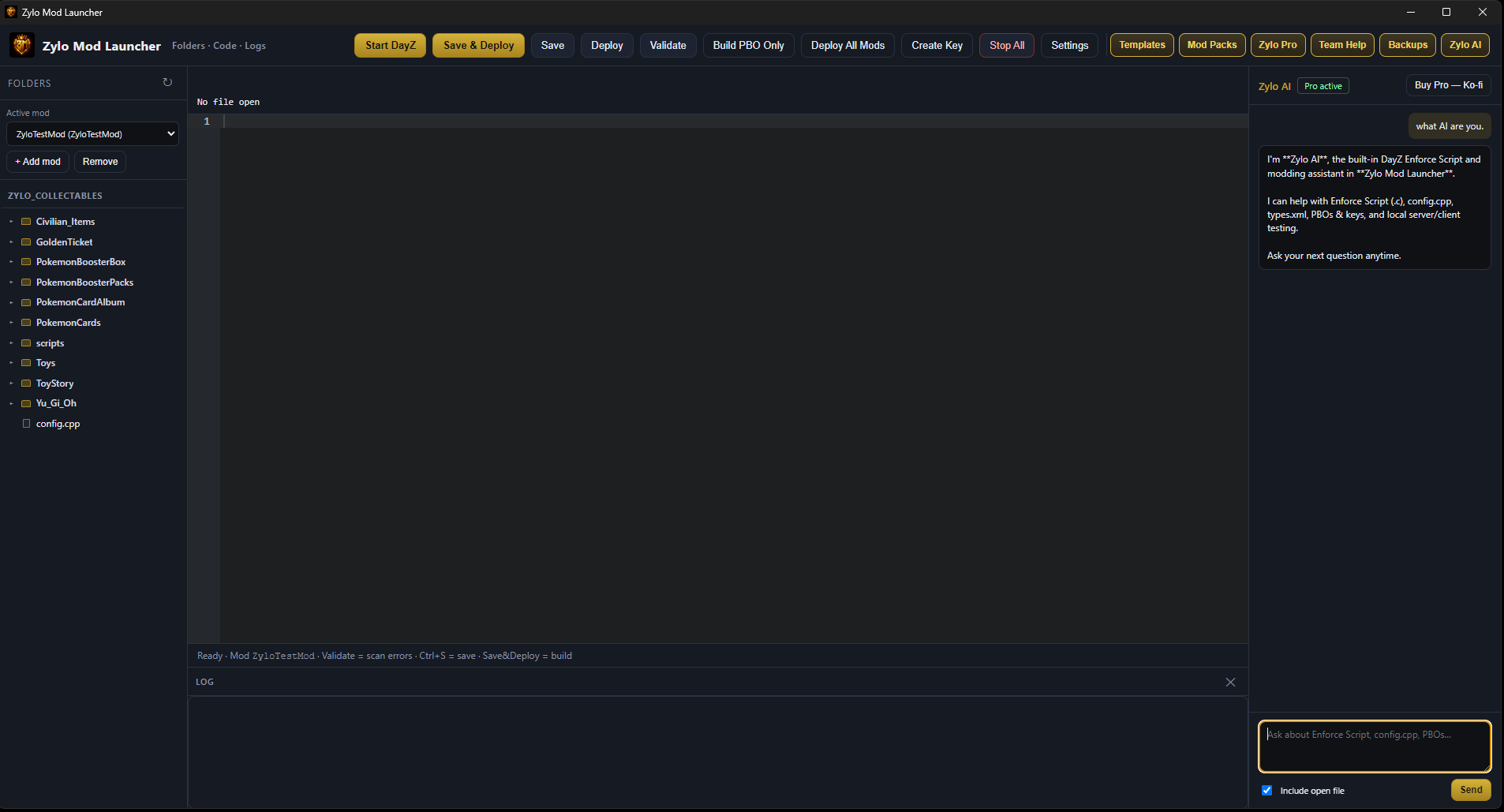
Zylo Mod Launcher is a focused development environment for DayZ mods. Write code on the left, build and sign your PBO, then test in-game on the right — without juggling half a dozen separate tools.
Free core launcher. Optional Zylo Pro unlocks templates, mod packs, Team Help, cloud backups, and Zylo AI.
See it in action
A short walkthrough of the editor, deploy flow, and in-game test loop.
What it does
- Save & Deploy Build your PBO, sign it, restart the local server, and relaunch DayZ with auto-join — ready for the next change.
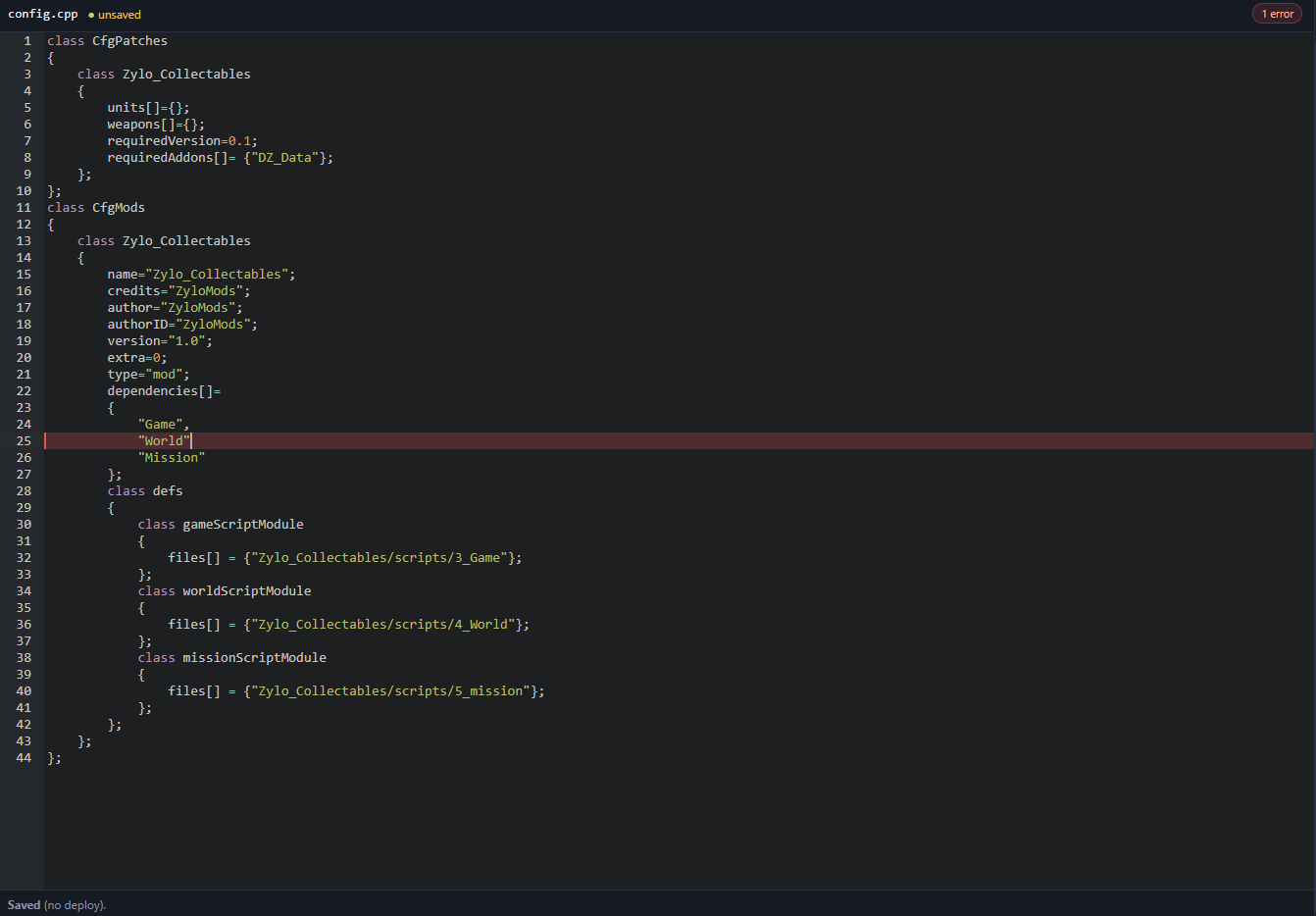
- Built-in code editor Work directly in your mod source tree with a clear file browser and fast save workflow.
-
PBO build & signing
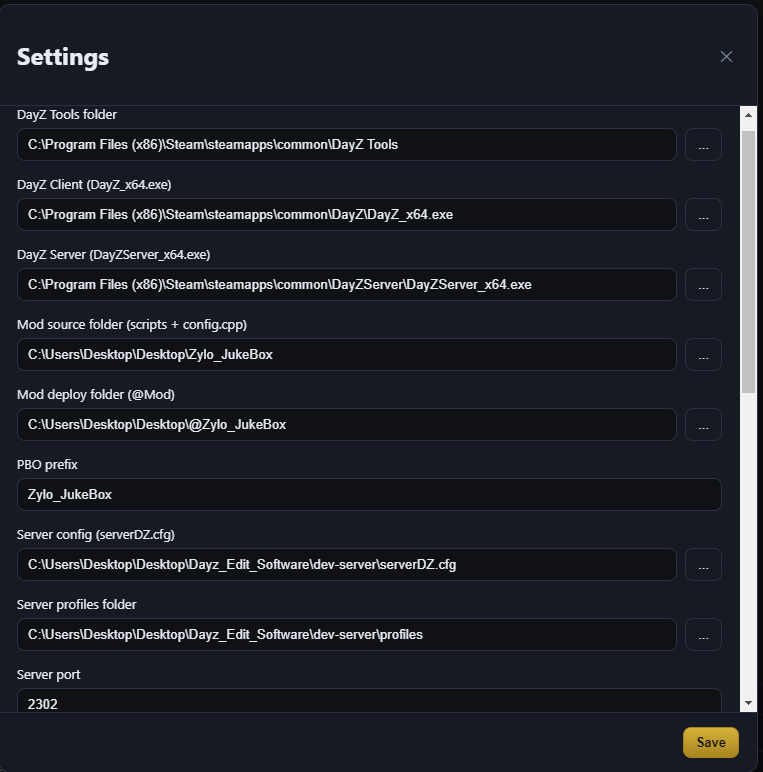
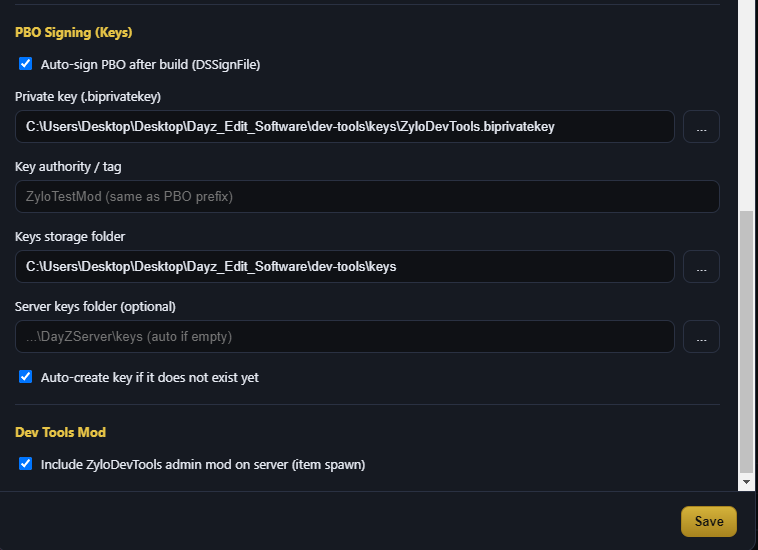
Uses DayZ Tools (AddonBuilder + DSSignFile). Keys and
.bikeyplacement are handled for you. - Multi-mod projects Keep several mods in one list, switch between them, or deploy all in one pass.
- Validate before you ship Scan configs and scripts for common issues before you waste a full client restart.
- Start DayZ split view Launch server and client together so you can iterate without leaving the launcher.
Zylo Pro (optional)
Upgrade when you want more speed and collaboration — same app, extra tools.
- Templates & Mod Packs — ready-made starters you install on demand
- Zylo AI — help with Enforce scripts and DayZ configs
- Team Help — share a session code so someone can assist with your mod
- Cloud backups — keep safe copies of your work before risky changes
Screenshots
Editor, deploy workflow, and tooling overview.
Download
Grab the Windows .rar package, extract it, and run the launcher. Requires DayZ, DayZ Server, and DayZ Tools (Steam).
Download Zylo Mod Launcher (.rar)
File path on the server:
downloads/Zylo-Mod-Launcher.rar